Skytells Console
The Skytells Console is your control plane for the entire Skytells platform — projects, deployments, AI models, infrastructure, observability, and account management, all in one place.
What is the Skytells Console?
The Skytells Console (console.skytells.ai) is the central control plane for the Skytells platform. It is a web-based interface where you manage projects, deploy applications, test AI models through the Playground, monitor workloads, and configure your account — all from one place, without switching between disconnected tools.
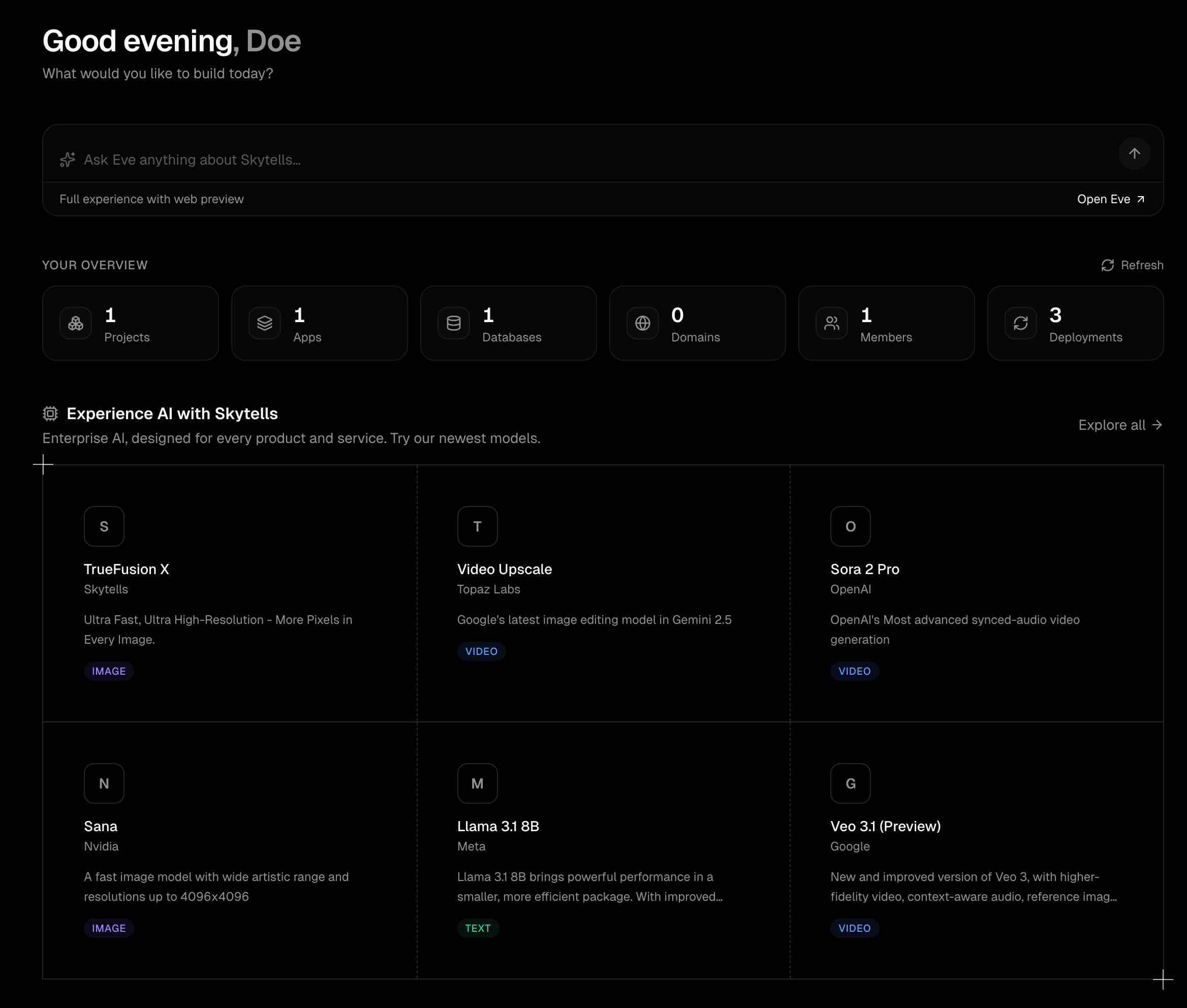
The Console is organized around core operational domains:
-
Build & Deploy Manage Projects, provision Infrastructure, observe system behavior through Cognition, and analyze performance via Analytics.
-
AI & Workflows Run AI model inference, interact with models through the Playground, and design agent-based or multi-step systems using the Orchestrator.
-
Resources Access platform-level capabilities such as Speed Insights and embeddable Widgets.
-
Account Monitor Usage, generate and manage API keys, configure access tokens, and control all Settings related to your environment.
Instead of fragmented tooling, the Console unifies applications, infrastructure, and AI workflows into a single, consistent operational surface. Every action — from deploying an app, invoking model inference, orchestrating workflows, or issuing API credentials, Account Access tokens, Developer keys is executed within the same system boundary.
This reduces context switching, enforces architectural consistency, and enables a production-grade developer experience where build, deploy, and runtime operations are tightly integrated.
Projects
Organize your apps, databases, domains, environment variables, and team members under a single project boundary.
Apps & Deployments
Deploy from Git, Docker, or Docker Compose with built-in CI/CD pipelines, rollback support, and deployment history.
AI & Playground
Browse the full model catalog, test any model interactively in the Playground, and review inference history in Predictions.
Infrastructure
Provision compute instances, create private networks (VPCs), and define firewall rules for dedicated workloads.
Observability
Cognition aggregates errors, security threats, runtime health, and anomalies across your entire account in one place.
Account & Settings
Manage credentials, billing, plans, provider keys, team access, and security configuration from a central hub.
Accessing the Console
Visit console.skytells.ai and sign in at console.skytells.ai/login. If you do not have an account yet, the login page provides the sign-up flow.
For account creation, email verification, and initial setup, see Account Creation.
What's Inside
The Console is organized into four main areas:
Build & Deploy — Projects are the primary workload boundary. Inside each project you create apps, provision databases, manage domains and environment variables, configure CI/CD, and invite team members. Detailed documentation for each is available in the Console section.
AI & Playground — A unified catalog of Skytells models and third-party providers. The Playground lets you test any model interactively before writing a line of code. Predictions logs your inference history. Orchestrator handles multi-step, model-driven workflows.
Infrastructure — Dedicated compute instances, private networks (VPCs), and firewall groups for workloads that need direct resource control.
Account — Credentials (API keys and personal access tokens), billing, subscription plans, usage, and security settings.
Explore Further
Foundations
Account setup, authentication, billing, pricing, and platform essentials.
API Reference
Endpoints, authentication, and response schemas for the Skytells API.
SDKs
Official TypeScript, Python, and Swift client libraries.
Products
Orchestrator and enterprise AI workflow automation.
Showcase
Production-ready templates and one-click deploy starters.
How is this guide?